Backups and restore
These are configuration backups, not VM backups
A backup here captures the configuration files the appliance manages — enough to undo a change, not enough to rebuild a machine. Use EBS snapshots or your own backup product for that.
When backups happen
| Reason | When |
|---|---|
| Pre-change | Automatically, before any remediation |
| Pre-restore | Automatically, before restoring another backup over the current state |
| Manual | When you select Take backup |
| Scheduled | On the configured schedule |
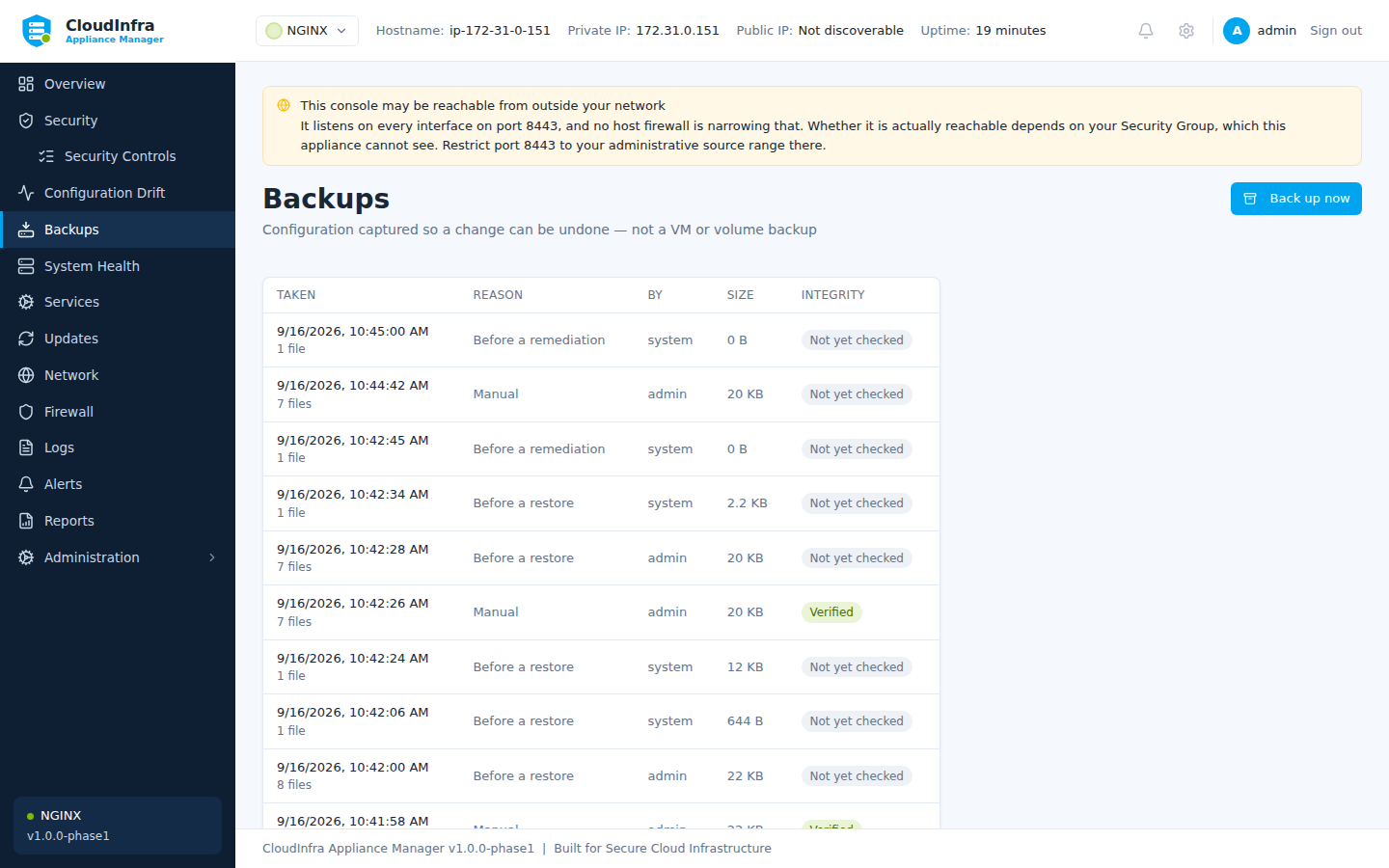
Each row opens to show exactly which files the backup holds and offers a restore.
What is captured
Select any backup to see exactly which files it holds, their sizes, and their state at the time.
Three things worth understanding in that list:
A file that did not exist is recorded as absent. Restoring it means deleting whatever is there now, not writing an empty file.
Some files are captured but never written back. /etc/fstab and /etc/sysctl.conf are
recorded for the record and marked "a restore does not write this file". A stale fstab
restored onto a running machine can leave one that will not boot, so the appliance keeps a
copy and declines to put it back.
A file reached through a symlink shows where it came from. NGINX enables a site by
linking sites-enabled at sites-available, so the backup captures the target and records
the link that led to it.
Verifying
Check integrity re-reads the stored files and compares them against the digests recorded when the backup was taken. A backup nobody verified is a backup nobody knows is intact.
The appliance verifies automatically before restoring from one.
Restoring
Restore writes the captured files back. Before it does, it takes a backup of the current state — so restoring the wrong archive is itself undoable.
The job reports how many files were written and names any that were refused. A restore that reported plain success while silently skipping files would leave you believing a file had been put back when it had not.
Retention
Backups are pruned on a schedule. Pin any backup you want kept regardless — a known-good configuration before a major change, for instance.