Logs
Logs shows the system journal and, where a module provides them, the application's own log files.
System, security and appliance logs
Three scopes read from the journal:
| Scope | What |
|---|---|
| System | The whole journal |
| Security | Authentication, sudo, and security-relevant units |
| CloudInfra | The appliance's own services |
You can also select a single service, filter by severity, and search. The search is matched
in process rather than handed to journalctl --grep, because a caller-supplied regular
expression run by a root process is a denial of service waiting to happen.
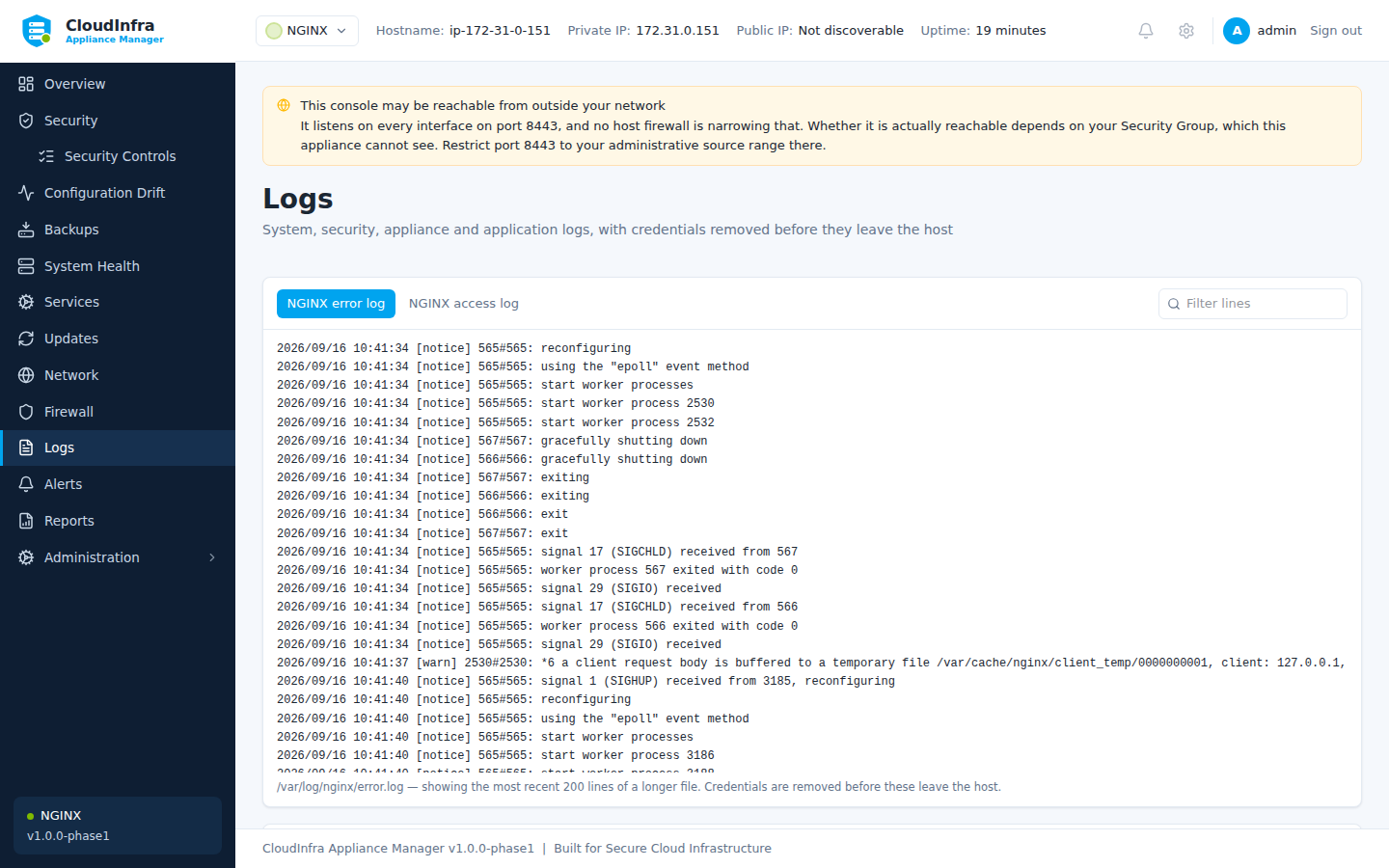
System, security and appliance logs, with the application's own log files in their own pane.
Application logs
NGINX writes its access and error logs to files, not the journal — journalctl -u nginx
shows that the service started and stopped and nothing else. Those files appear in their own
pane.
Only the most recent lines are loaded. A line older than what is on screen is not missing, it is simply further back than the tail.
Credentials are removed
Every line is redacted on the host, before it leaves it. A request URL carrying
?api_key=... appears as api_key=********.
This applies to the journal, the application logs, diagnostics bundles and reports.
What redaction does not do
It masks things that look like credentials: key-value pairs with sensitive names, authorization headers, bearer tokens, private key blocks, and credentials embedded in URLs.
It cannot recognise a secret that looks like ordinary text. Do not treat a redacted log as safe to publish without reading it.
Diagnostics bundle
Administration → Download diagnostics produces one archive with configuration, versions, recent logs and health readings, redacted the same way. It is the thing to attach when raising a support request.