Security assessment
An assessment reads the host and compares what it finds against a set of controls. It changes nothing.
Running one
From Security, select Run assessment. Assessments also run on a schedule so the dashboard does not go stale.
Each run is a point-in-time snapshot. The appliance does not patch new readings into an old assessment: a snapshot whose rows were measured at different moments produces a score you cannot reproduce from any single observation.
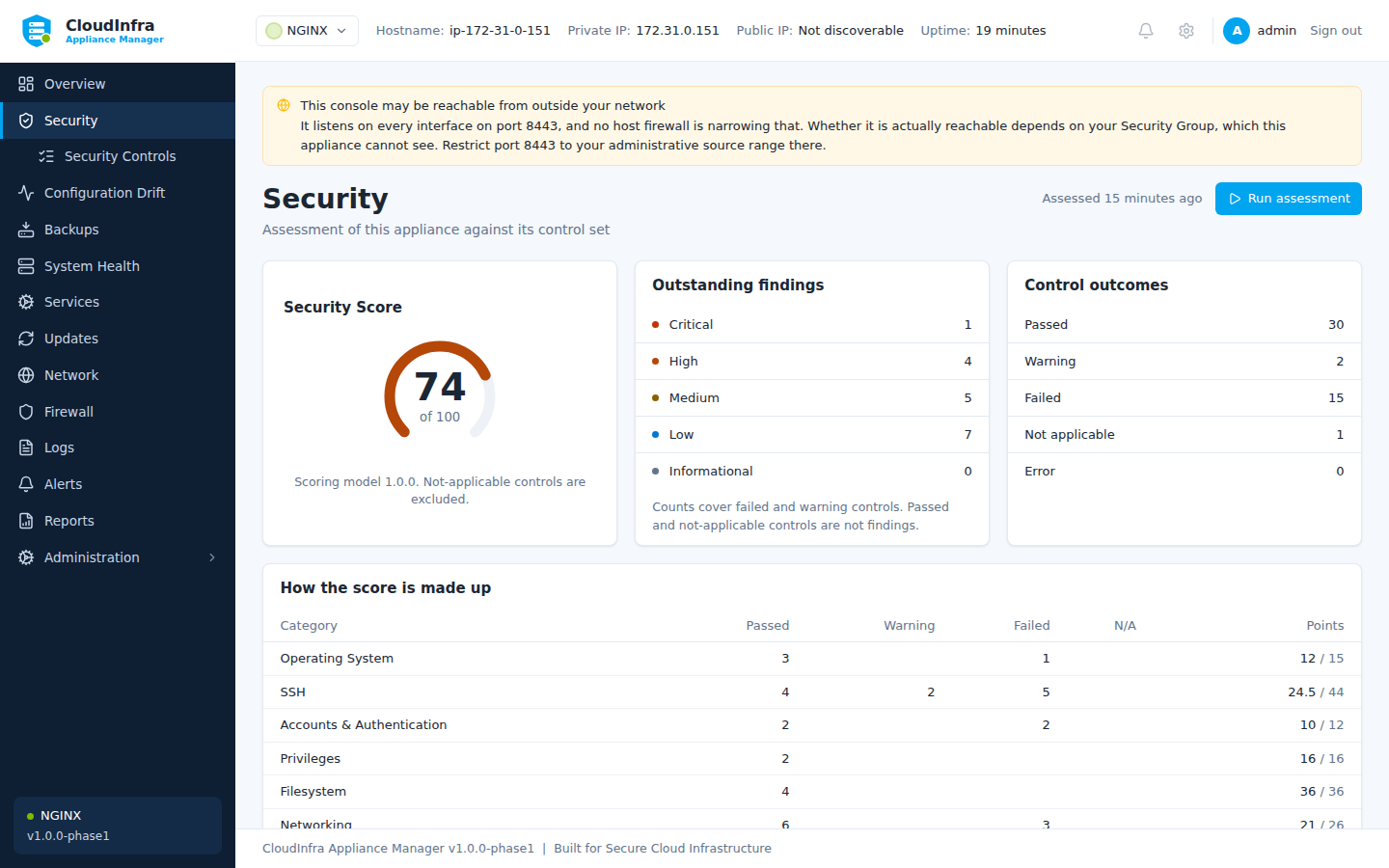
The score, and findings grouped by category. Each is backed by an observation.
What is covered
How many controls an appliance runs depends on what is installed on it. The baseline applies to every Linux host; each application module adds its own, and reports its controls as not applicable when its application is absent.
| Module | Controls | Applies to |
|---|---|---|
| Generic Linux | 43 | Every appliance, always |
| NGINX | 5 | Hosts running NGINX |
| GitLab | 9 | Hosts running GitLab CE |
So an NGINX appliance assesses 48 controls and a GitLab one 52, and the score is calculated from the controls that apply rather than from the whole catalogue.
Across all three modules, by category:
| Category | Controls | Examples |
|---|---|---|
| SSH | 11 | Root login, password authentication, attempt limits |
| Networking | 11 | ICMP redirects, router advertisements, exposed monitoring ports |
| Application Security | 8 | Version disclosure, security headers, transport security |
| Accounts & Authentication | 7 | Password ageing, empty passwords, sign-up restrictions |
| Filesystem | 5 | Permissions and mount options |
| Operating System | 4 | Kernel and boot settings |
| Firewall | 3 | Default policy and the management port |
| Services | 3 | Unnecessary daemons, time synchronisation |
| Privileges | 2 | sudo configuration |
| Updates | 2 | Pending security updates, unattended upgrades |
| Logging | 1 | Persistent journal |
Every control, with its rationale and what it reads, is in the control catalogue - which is generated from the packs the appliance actually loads, so it cannot drift from what it assesses.
Reading a verdict
Every verdict is backed by an observation. A control reports:
- Current value — what is set now
- Expected value — what the control requires
- Source — the file or interface it was read from
- Rationale — why it matters
- Recommendation — what to do
A control that cannot be assessed reports error, never passed. The two are different facts, and reporting the first as the second is how a host comes to look secure because something failed to run.
Not applicable
Some controls do not apply to some hosts. A TLS version control on a proxy that terminates no TLS has nothing to measure: reporting it as failed is a finding with no fix, and reporting it as passed claims a protection that is not in place.
Not-applicable controls do not count against the score.
Scoring
The score weights by severity — a failing high-severity control costs more than a failing low one. Not-applicable controls are excluded entirely.
Treat it as a trend, not a target. A score of 100 on a host nobody uses means less than a score of 80 on one serving traffic, and the individual findings are what you act on.